
How to Fix Common Case Erector Jam Issues: ZRAY Troubleshooting Guide (PLC Alarm Codes, Up to 30 CPM) | ZRAY
Every case erector jams eventually. The difference between a machine that costs you 15 minutes a day and one that costs you 15 minutes a month is how fast you find the cause and whether you fix it or just clear it. This guide is the troubleshooting playbook our service engineers use on ZRAY machines — the five jam zones, the PLC alarm codes that fire in each one, and the exact recovery steps. Print it, put it next to the machine, and your operators will stop calling you for the same jam twice.
Where jams actually happen
In our service records, case erector jams break down into five physical zones. Each zone has its own alarms, its own common causes, and its own fix:
- Magazine / pickup zone — blank feed, double pickup, skew.
- Square-up zone — blank does not open square, crease lines not broken.
- Folding zone — flap fold timing, cam wear, stiff board.
- Sealing / glue zone — adhesive issues, compression mis-timing.
- Exit / transfer zone — case does not clear, conveyor timing, case height.
Get the zone right first, and half the troubleshooting is done. The alarm code on the HMI tells you which zone fired — use it as your map, not as the diagnosis.
The alarm code reference table
These are the codes we ship on ZRAY machines. The recovery steps assume the operator has already hit E-Stop and isolated the machine.
| Code | Alarm name | Zone | Common root causes | Recovery steps |
|---|---|---|---|---|
| A-101 | Blank Feed Timeout | Magazine | Empty stack, jammed elevator, feed rollers worn, board too long | Refill magazine, check elevator lift, inspect feed rollers, confirm blank L within spec |
| A-102 | Vacuum Low / Mis-Pick | Magazine | Worn vacuum cups, blocked ports, double pickup, pump fault | Clean/replace cups, clear ports, check vacuum 0.4–0.6 bar, clear double feed |
| A-103 | Skew / Double Feed | Magazine | Separator finger wear, side guide gap, static charge | Adjust separator fingers, reset side guides to blank width +1–2 mm, check anti-static bar |
| A-104 | Flap Not Positioned | Folding | Cam timing drift, warped blank, crease not scored | Rotate one manual cycle, check fold cam marks, verify blank flatness, check crease depth |
| A-105 | Folding Force High | Folding | Board grade change, double blank, jam debris | Remove blank, inspect fold section, re-learn board profile, clear debris |
| A-210 | Glue Temp Low | Sealing | Heater coil, thermocouple seating, tank empty | Check heater and thermocouple, refill tank, verify 150–170°C at applicator |
| A-211 | Glue Pressure Low | Sealing | Pump diaphragm, filter screen, air in line | Check diaphragm and filter, bleed air, verify pump output |
| A-212 | Nozzle Block | Sealing | Char build-up, nozzle-to-flap gap too tight | Purge nozzle, clean char, adjust gap to 1.5–2 mm |
| A-214 | Case Not Cleared | Exit | Case height exceeds opening, conveyor mis-timed, jam in transfer | Clear case, check case H against spec, verify transfer timing, check guides |
Magazine and pickup zone: the fix in steps
The magazine zone accounts for 40–50% of all jams in our records. Most are simple, repeatable mechanical conditions.
A-101 Blank Feed Timeout — the machine waited for a blank and none arrived.
- Check the stack: is the magazine actually full, or is the elevator stuck at the bottom?
- Watch one feed cycle in jog mode. Does the feed roller advance?
- If the roller turns but no blank moves, the board may be too long for the magazine window — verify L against spec.
- If blanks feed erratically, clean the feed rollers (rubber rollers pick up board dust and lose grip) and check the elevator brake.
A-103 Skew / Double Feed — the classic double-blank jam.
- Open the magazine, inspect the separator fingers. They are the parts that separate the bottom blank from the stack; a worn finger lets two blanks through.
- Check the side guides: they should sit at blank width + 1–2 mm, not pressed tight.
- If static charge is the cause (dry winter air, plastic-wrapped blanks), fit or enable the anti-static bar and check it is actually discharging.
- Clear the feed, and re-verify: one blank per pickup cycle, three cycles in a row.
Folding and square-up zone: when the blank fights back
A-105 Folding Force High fires when the fold drive sees force 30% above the learned baseline. This is your early-warning for board problems.
- Hit E-Stop, remove the blank, and inspect it. Is there debris or a previous jam fragment in the fold section?
- Check what board grade is loaded versus what the PLC recipe says. A C-flute blank run under a B-flute recipe folds like plywood — the machine is not broken, the recipe is.
- Use the HMI “Re-learn board profile” function once the correct grade is loaded.
- If the force alarm keeps firing on the correct grade, check the fold cam timing marks — a slipped cam changes the fold angle and spikes force.
A-104 Flap Not Positioned is almost always board-related:
- Verify the blank is flat. A warped blank (moisture-absorbed) skips the flap sensor even though the machine is perfectly timed.
- Check the crease lines: if the board supplier’s die-cut crease is shallow, the flap resists folding and reaches the sensor late. Score depth matters — this is a board spec issue, not a machine issue.
- Confirm the fold cams are on their timing marks; a half-tooth slip shifts the whole sequence.
Sealing zone: glue problems are jam problems
A glue-system fault does not always stop the machine with a jam — sometimes it makes the next 20 cases fail downstream. Catch it at the alarm, not at the customer.
A-210 Glue Temp Low:
- Check the HMI trend: did the tank drop suddenly or drift down?
- Sudden drop = heater coil open. Check continuity, replace coil.
- Drift down = thermocouple mis-seated or tank running low. Reseat thermocouple, refill granules.
- Before restarting, purge the nozzle 5 seconds and verify bead temperature at the applicator.
A-212 Nozzle Block:
- Check char build-up — black flakes in the bead are carbonized adhesive from over-temperature.
- Purge the nozzle, clean the tip, and verify the nozzle-to-flap gap of 1.5–2 mm. Too tight a gap smears adhesive and builds char.
- Verify the tank temperature did not spike above 170°C during the last shift.
Exit zone: when the case does not clear
A-214 Case Not Cleared is the jam your operators see first — a fully formed case stuck at the transfer point.
- Clear the case manually and check its height against the machine spec. A case that fits the forming range can still be too tall for the exit opening if the opening was set for a shorter run.
- Check the transfer timing on the HMI: the exit pusher must fire after the case is fully compressed, not before.
- Inspect the exit guides for glue smears — adhesive transfers to the guide, builds up, and grips the next case.
- Verify the downstream conveyor is running. A stopped or slow downstream conveyor is the most common “case jam” that is actually a line problem.
Board specs that trigger jams: the checklist
Board is the variable operators blame last and check last. These specs cause more “mystery jams” than any machine fault:
| Board | Caliper | Grammage | Jam risk if wrong |
|---|---|---|---|
| E flute | 1.5–1.8 mm | 200–300 gsm | Feed skew (too limp to push) |
| B flute | 2.5–3.0 mm | 250–320 gsm | Low — the forgiving middle |
| C flute | 3.5–4.0 mm | 300–400 gsm | Folding force spikes if crease shallow |
| BC flute | 6.0–7.0 mm | 450–500 gsm | Vacuum seals marginal, stiffest fold |
| EB flute | 4.5–5.5 mm | 400–450 gsm | Warp causes intermittent flap alarms |
Two rules: store blanks flat below 65% RH, and re-learn the board profile every time you change grade. Intermittent jams that “come and go” are the signature of warped board, not failing mechanics.
Technical parameters to reference while diagnosing
| Parameter | Standard range | If out of range |
|---|---|---|
| Air supply | 0.5–0.7 MPa | Low air = slow cylinders = late folds = jams |
| Air consumption | ~600 L/min | Above spec → check leaks |
| Pickup vacuum | 0.4–0.6 bar | Below → mis-picks |
| Glue tank temp | 150–170°C | Below → weak joints downstream |
| Compression time | 2–5 s | Too short → joints fail at exit |
| Case size (L×W×H) | per machine spec | Out of range → exit jams |
Maintenance schedule that prevents the jams you are clearing
Most jams trace back to a maintenance item that was skipped, not a design flaw. This is the schedule we ship with every ZRAY machine:
| Interval | Task |
|---|---|
| Daily | Wipe photoeyes; purge glue nozzles; blow out magazine lip; check air pressure |
| Weekly | Drain air filter condensate; inspect vacuum cups; check separator fingers; verify fold cam bolts |
| Monthly | Clean glue tank and filter; check feed rollers for wear; inspect exit guides for glue build-up |
| Quarterly | Re-learn board profile; check cam timing marks; inspect SMC valve seals; check heater coils |
| Semi-annual | Replace vacuum cups and belts; full pneumatic leak test; verify CPM against spec |
When to fix the machine vs upgrade it
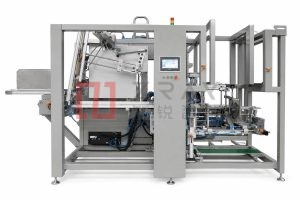
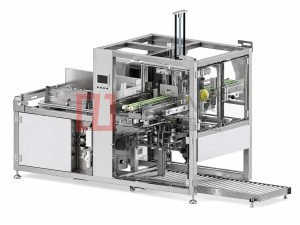
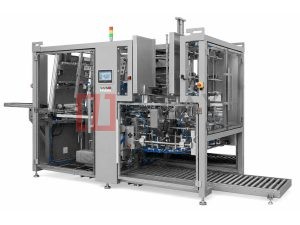
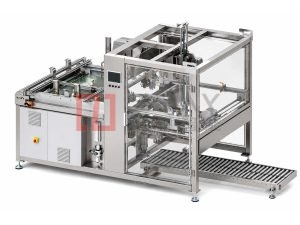
If your line runs clean after these checks, you have a well-maintained machine. But if jams are frequent because the machine is undersized for your speed or board mix, no maintenance schedule will help. For lines running multiple board grades at high output, the Single-Piece Case Erector carries the full alarm set above plus board-profile learning, in a footprint that fits most brewery and beverage floors. If you are pushing toward 50–60 CPM on double-wall board, the Double-Head High-Speed Case Former halves the jam cost per stoppage — a jam on one head stops half the line, not all of it.
Send us your alarm log
If you are clearing the same jam twice a shift, email us your HMI alarm log (photo is fine) and your board specs. We will identify the zone and give you the fix over WhatsApp or email — most diagnostics are answered within 24 working hours, free of charge. If it turns out to be a machine issue that needs parts or an upgrade, we will tell you straight.
Email [email protected] or WhatsApp +86 13681839278. Include your alarm code and board grade, and we will send the exact recovery procedure. Or use our contact page and a service engineer will reply within 24 working hours.
Want To Know More About Our Upgraded Machines?
Send your carton specifications and output demand, our engineer will provide free technical scheme & quotation
Latest Products
Subscribe To Get Latest News & Technical Guides
Leave your business email to receive free industry articles and new product updates